
Flat Rate Shipping
Flat Rate Shipping: This method allows you to charge a fixed shipping fee per order, per item, or per shipping class, regardless of weight or distance. It’s useful for predictable, easy-to-understand shipping costs. For example, your store will charge $7 for every order sent within a specific zone.
Flat rate shipping simplifies the checkout process. Besides, it’s great for stores with standard packaging or uniform delivery charges.
Flat Rate Shipping In Shipping Manager
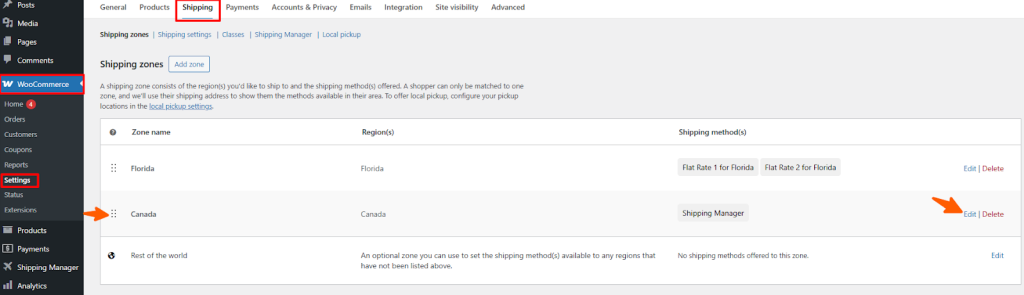
First, navigate to WooCommerce > Settings and then click Shipping. Now you can see that two zones have been created already. Click Edit to customize the shipping rules of that zone and apply a Flat rate shipping fee.
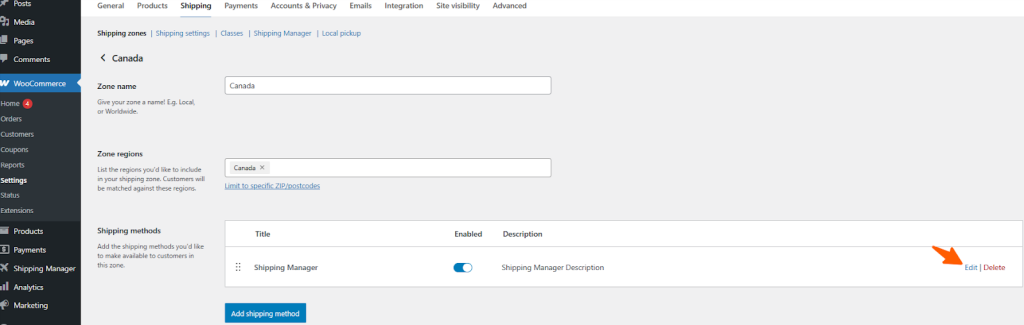
In the next section, you will see the available shipping methods. You can also create a new shipping method by clicking the Add Shipping Method button. Now, click the Edit button to add or customize the shipping rules.
Now, you can view the available shipping rules in the list and select Flat Rate from the list.
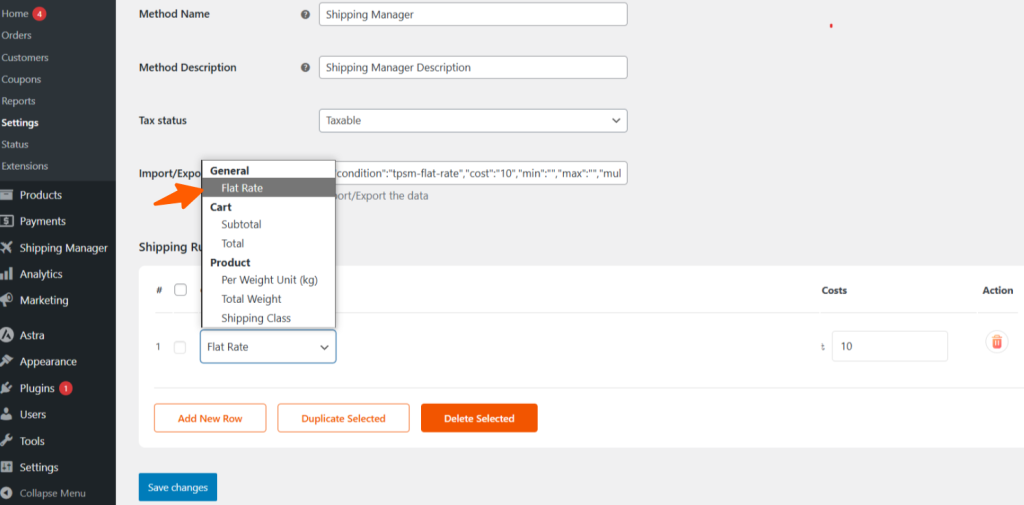
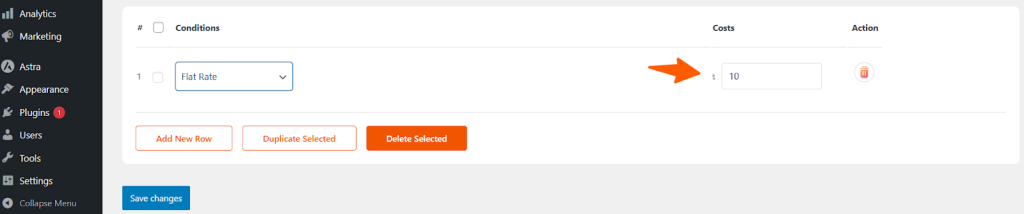
Now, set the flat rate price as you prefer. With these settings, users will only see a flat shipping cost at checkout. This rate will be applicable for any size or weight of the product.
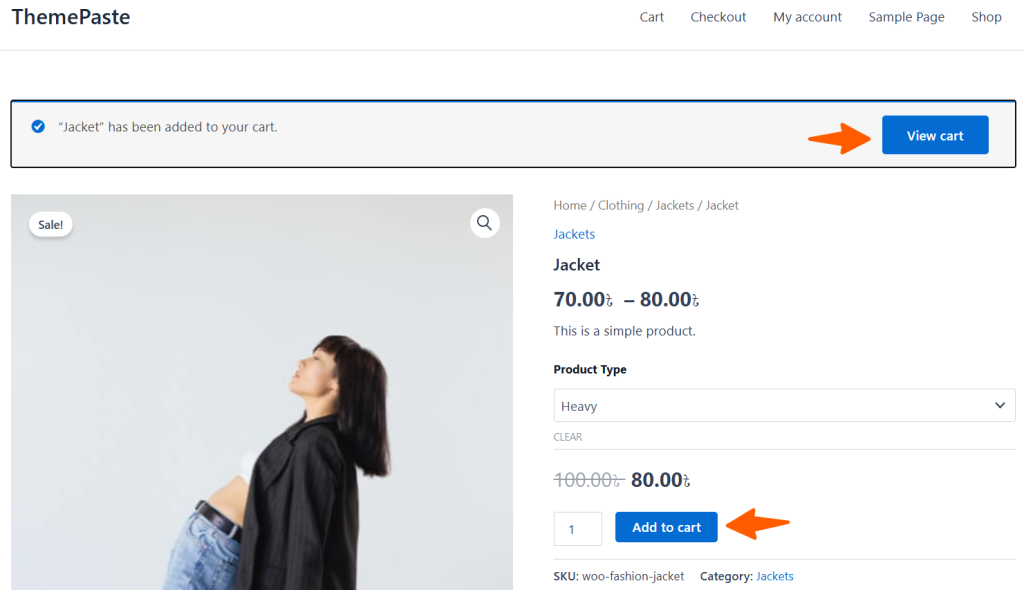
Now, go to the shop page and select a product from the shop. We’ve added a product to the cart and then clicked View Cart.
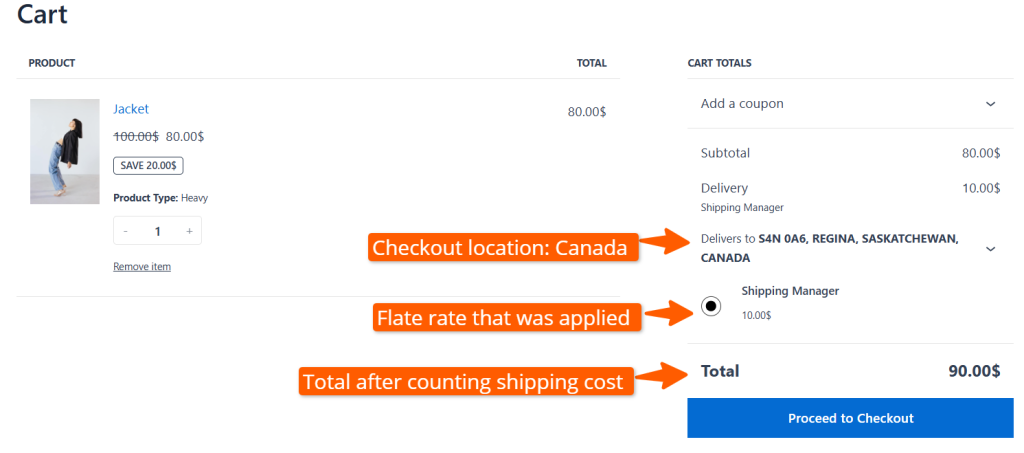
On the cart page, user can set their checkout location to their current zone or country region. Since a flat rate of $10 was applied for the entire Canadian zone. The cart total is now $90 after using a flat shipping cost of $10.
What happens if you add multiple flat rates to the shipping rules?
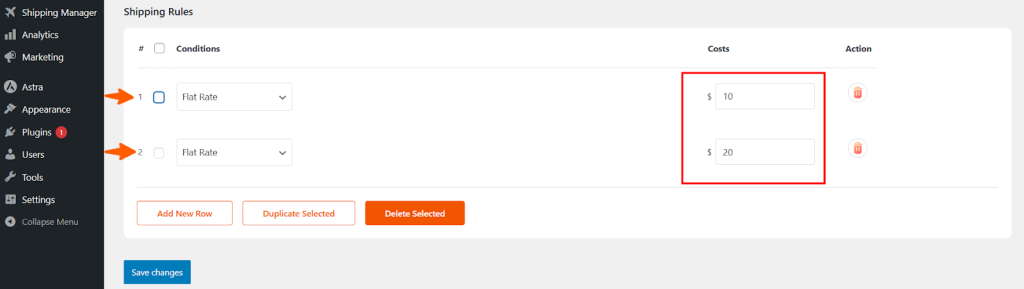
Multiple flat rates for the same zone will be counted together as a shipping cost. Then the cost will be added to the checkout process.
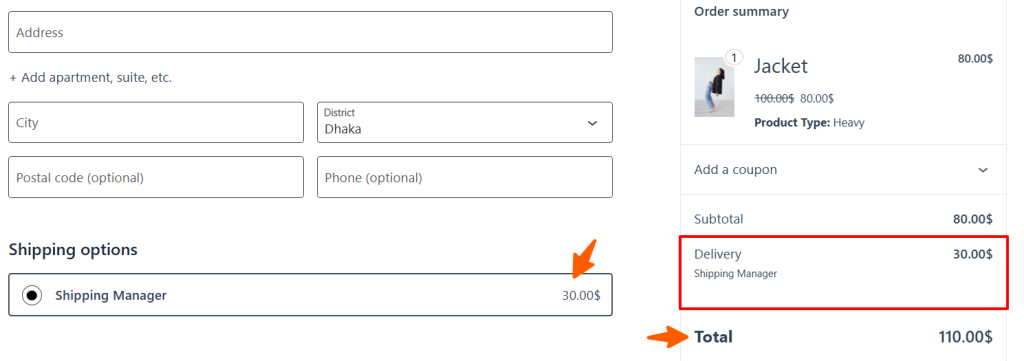
You will see the following total price if you go to the checkout page after adding the product that you added before. As you can see, the total shipping cost is $30, which is added to the total.