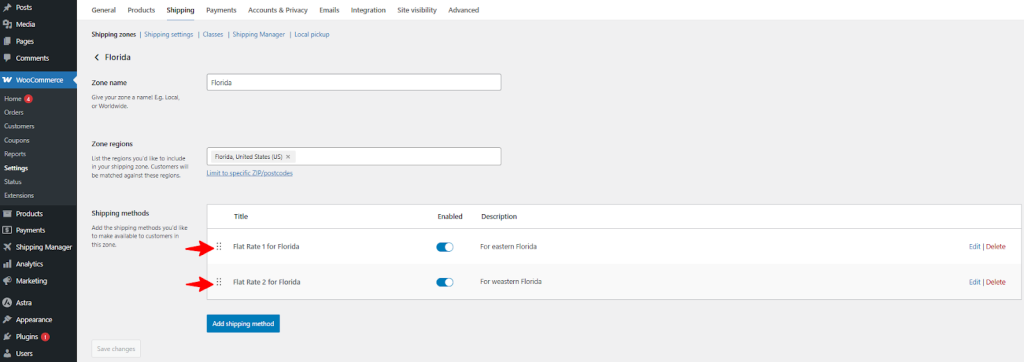

Custom Method Name and Other Details
Let’s say you’ve already created different shipping methods and want to change their default name. You can do this simply by editing the existing Shipping methods that you’ve already created.
Navigate to WooCommerce > Settings and then click on Shipping.
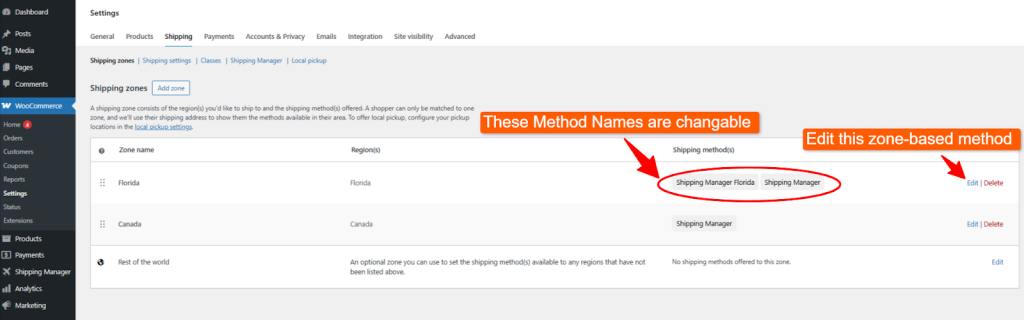
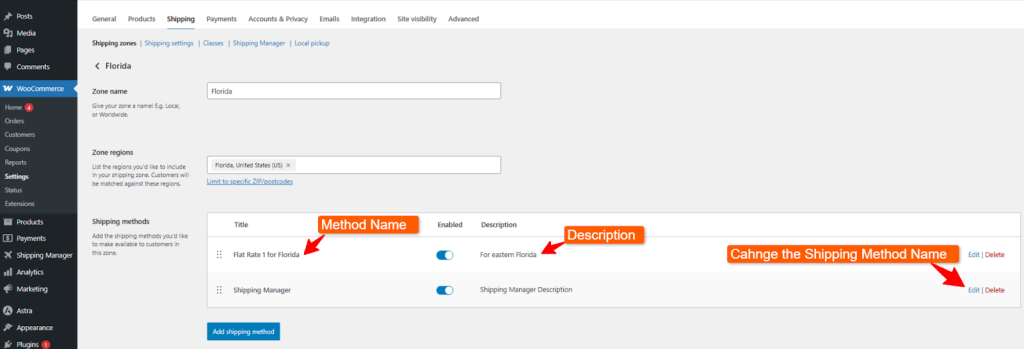
There are shipping methods for this region named Shipping Manager Florida, and Shipping Manager. So, let’s change the shipping method name and other details. Click edit beside your preferred shipping method.
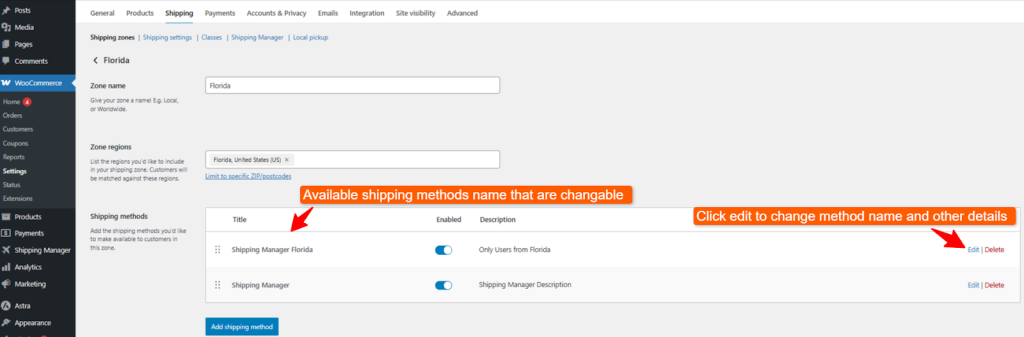
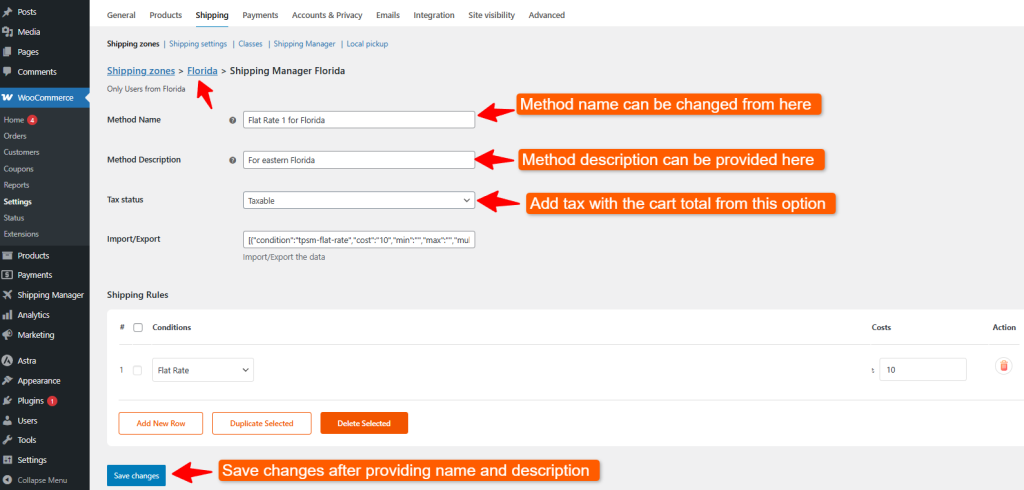
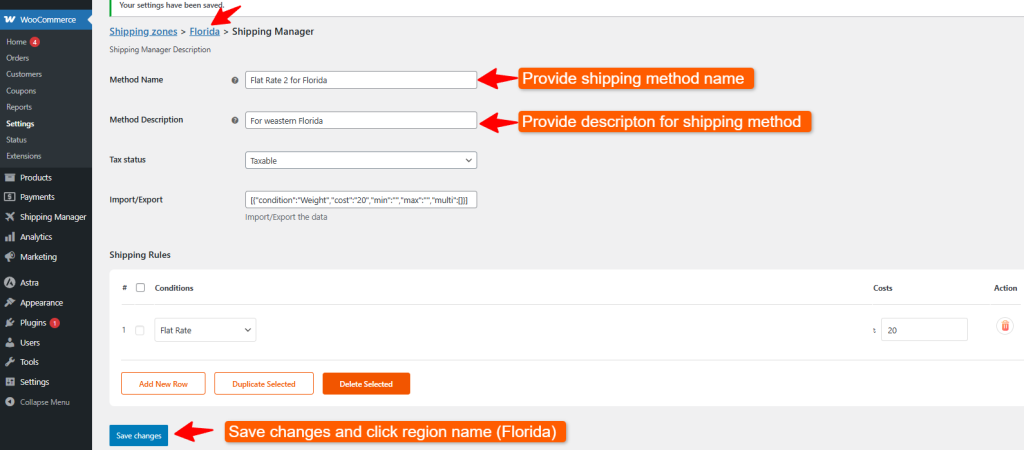
Now, you can change the Method name and provide a Method Description. Then, click the Save changes button to apply the changes. Then click on the zone name, Florida, from the menu items.
As you can see, the method name or the title and the description are now changed. Now, let’s change the second method’s name to make it more specific or logical.
Similarly, provide Method Name, and Method Description for this shipping method. Now, click Save Changes button to apply all changes. Then click the region name which is Florida at this moment.
Now you can see there are two different method names available(Flat rate 1 and Flat rate 2 ) for Florida region.