

Passwordless Login [ Pro ]
The Passwordless Login feature simplifies user authentication by allowing users to access their WordPress accounts via email or magic link—no password required. This modern login method enhances both security and convenience, reducing friction while maintaining robust protection.
It’s particularly helpful for:
- Simplifying access for non-technical users who struggle with password management
- Reducing support tickets related to forgotten passwords or login issues
- Enhancing mobile login experiences with one-tap authentication
- Improving security by eliminating weak or reused passwords
- Speeding up onboarding for new users, clients, or demo participants
This feature is ideal for membership sites, client portals, educational platforms, and any WordPress environment where ease of access and user satisfaction are top priorities. It modernizes the login experience without compromising control or compatibility with existing user roles and workflows.
Note: Activate the pro plugin to enable this feature.
Here is how the feature works:
Enable the Passwordless Login Feature:
First of all, you need to enable the feature using the following instructions:
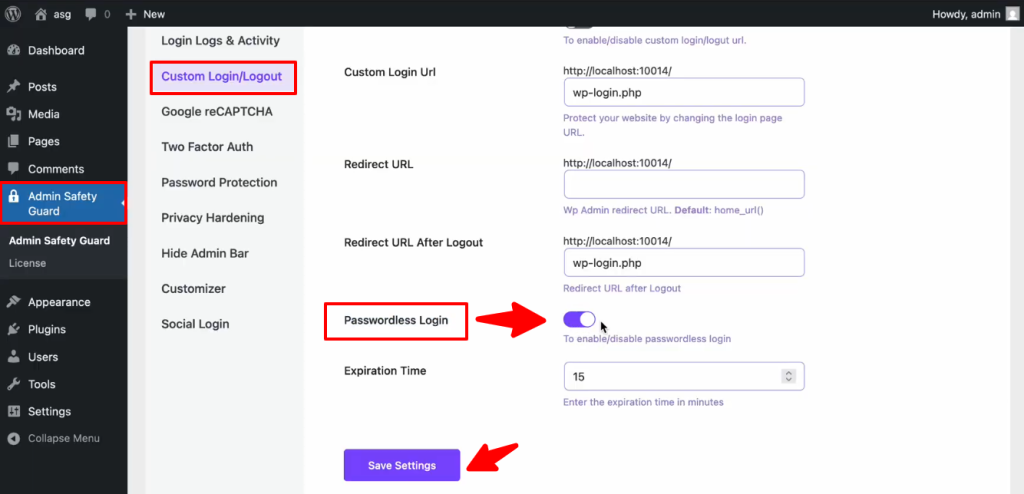
- Log in to your website and navigate to Admin Safety Guard > Custom Login/Logout.
- Then enable the button beside the Passwordless Login option.
- Now, click the Save Settings button.
Use Available Options
After enabling the Passwordless Login feature, you will get two options available:
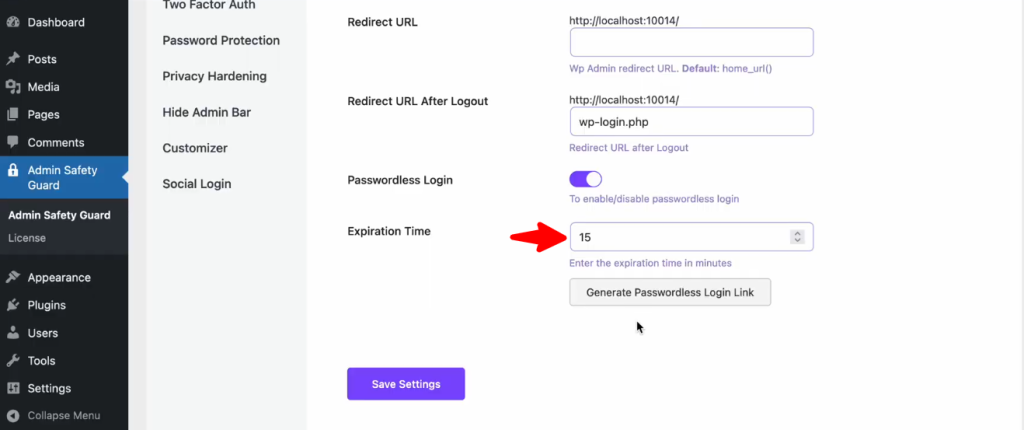
- Expiration Time: This option configures how long you want the user to have the login access.
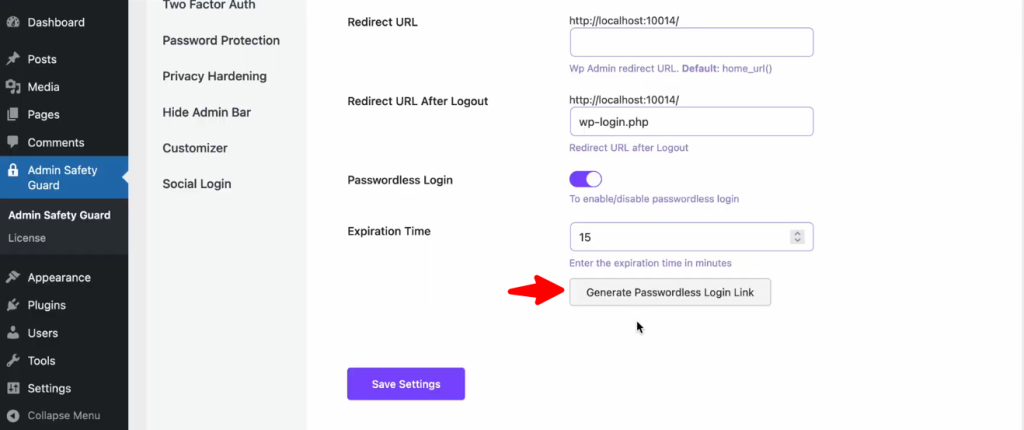
- Generate Passwordless Login Link: This option creates a link that does not require a password to get into your website. Only designated users should get this link since unwanted users shouldn’t get access to your site.
Let’s see how you can use these options:
- First, enter an expiration time in the blank space next to the ‘Expiration Time’ option.
- Then click the Save Settings button.
- Now, click the ‘Generate Passwordless Login Link‘ button.
- Then click the Save Settings button.
- Now you will get the link below the Generate Passwordless Login Link button.
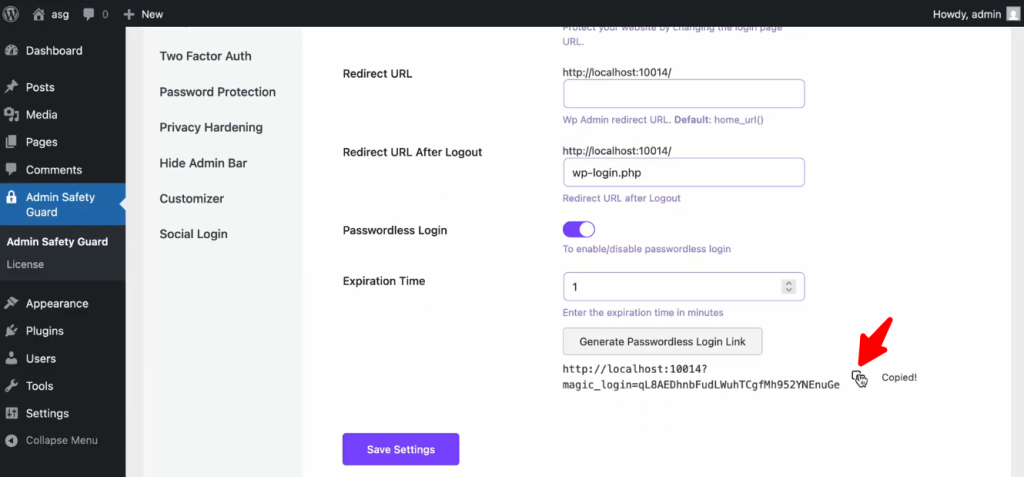
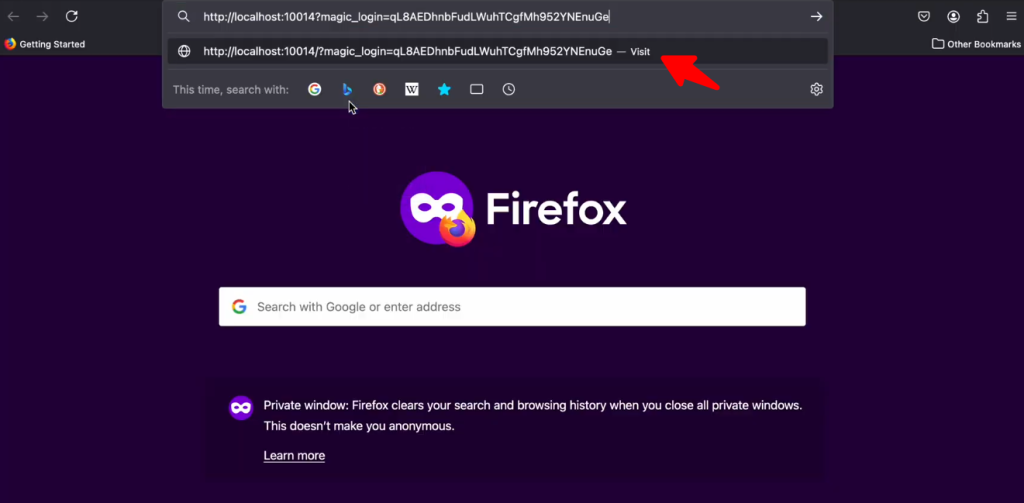
- Simply click the copy button and paste it into your browser in a different tab.
- Then click enter to go to that link.
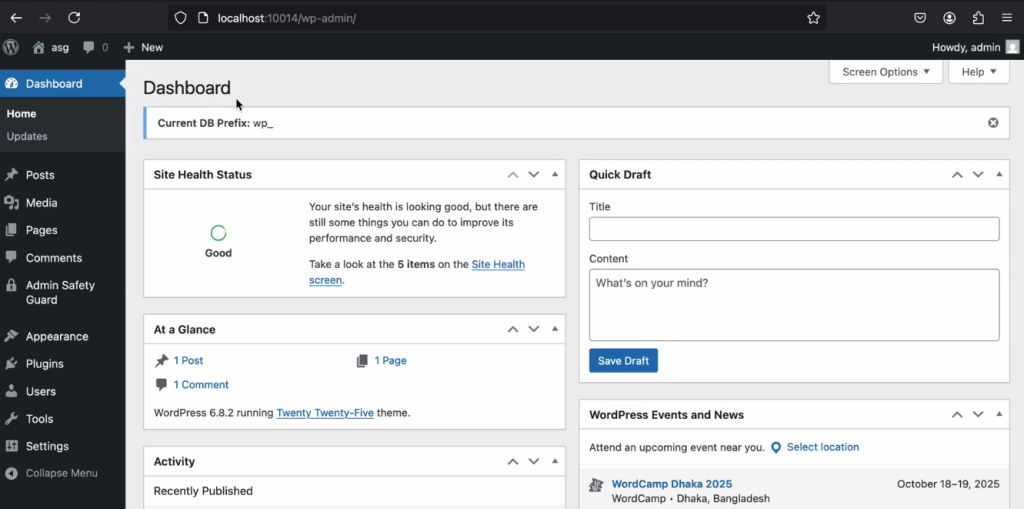
- As you can see, you are already logged in to the WordPress dashboard. The user did not have to provide any login credentials to access the site.
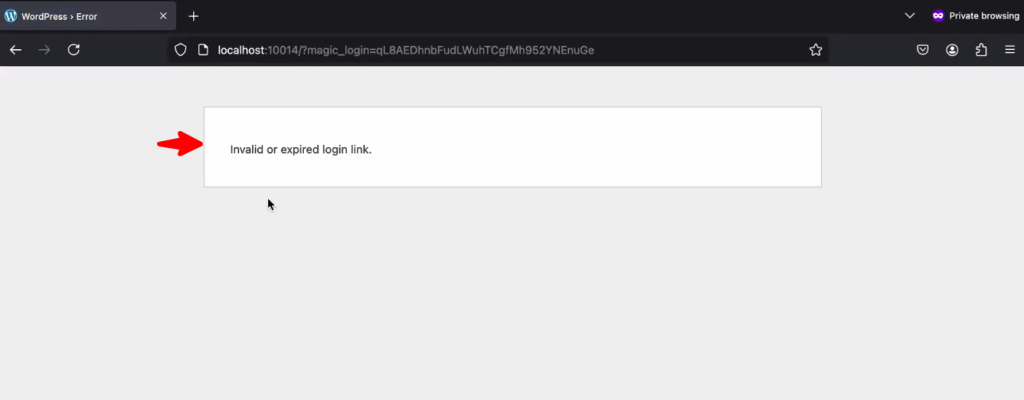
- Keep in mind that this link will be valid for the inserted Expiration Time.
- After your given Expiration Time, the user won’t be able to operate.
Note: The ideal scenario for granting passwordless login access is to provide access to a developer as a site owner for a limited duration.