

People enjoy visiting a website that loads all the necessary information without any delays. Caching is a powerful mechanism that makes quick loading a reality. This technique stores all website data and assets in a readily accessible location to minimize loading times.
Caching reduces the strain on servers so that the response time becomes faster. WordPress caching plugins are an excellent option for users to implement caching on their website. These plugins contain features that reduce the number of requests made to the server. As a result, your website loads everything in a glance.
In this article, we'll explore how caching works and why it’s crucial for speed optimization. Besides, you’ll learn how to use it to supercharge your website. Let’s start learning.
Understanding the Basics of Caching
Caching might sound like a complex technical term, but it's an easy-to-understand concept. Let's say you are baking a cake for the first time, which will take time. But when you do it more than once, you already know which ingredients are required in what amount, so the process becomes faster.
Caching involves saving copies of your website’s files, such as CSS, images, and JavaScripts. Those files won't have to be reloaded whenever someone visits your site. The server presents the pre-saved version from the cache without generating the page repeatedly.
For instance, when a blog post on your website is cached, the returning visitors to your site will see the content instantly. This is possible since everything is already available in the cache memory. Without this method, the server would have to generate all the page elements again.
Caching is essential to optimizing your website’s speed for better user experience. WordPress caching plugins minimize all the effort spent caching your websites.
Types of Caching and Their Functions
There are different types of caching mechanisms, each having its own purpose in enhancing website performance. Let's explore those caching types and their contribution to speed optimization:

Browser Caching
This type of caching stores website files, including images, style sheets, and scripts, on a visitor's device. When visitors visit your website for the first time, these files are requested and downloaded from the server. Then, those files are saved in your visitor's browser cache.
When visitors return to your site, their browser loads the saved files instead of downloading everything. This dramatically improves loading time and satisfies users' expectations.
A prime example can be the logo of your website, which usually appears on every page of a website. When caching is active, it ensures that the logo is downloaded once and loads every time for repeat visitors.
Server-Side Caching
This type of caching saves the website data on your hosting provider's server. Thus, it takes less time to process user requests. The server stores a ready-to-use version of your site and delivers it without generating a page from scratch whenever someone visits.
Here are the types of server side caching:
-
Page Caching: This process saves the entire web page and minimizes repeated processing.
-
Object Caching: This process saves only the database query results to speed up dynamic websites.
-
Opcode Caching: Keeps processed PHP code in memory, so the server doesn’t have to interpret it repeatedly.
For example, a WordPress blog post is cached at the server level. When a visitor arrives, they receive an instant version of the site. This reduces the load on the database and allows the content to be displayed with minimum delay.
Content Delivery Network (CDN) Caching
CDN caching collects and serves website content from multiple servers spread globally. When someone visits a webpage, the CDN pulls the cached version from the nearest server. This means the central hosting server won't serve the data repeatedly.
This greatly decreases your website's loading time for a global audience. Without a CDN, visitors from Asia will face delays if the site is hosted in the USA. However, with a CDN, the same content is served from the closest server. As a result, the website loads faster than ever.
CDNs can save static files, including your WordPress site's images, style sheets, and scripts. Therefore, the pressure goes down on the primary server, and performance improves even with heavy traffic. Popular CDN providers like Cloudflare and Amazon CloudFront effectively serve cached content.
Database Caching
Database caching is meant to accelerate data retrieval for dynamic WordPress sites. This process saves all the results that a common database query generates. Therefore, the database won't need to process the same query again and again to represent data.
For example, a news site can store the results of a database query that retrieves all the latest or recent articles. Therefore, the database doesn't have to run the query each time a visitor lands on the homepage. It saves both time and resources for data representation.
Why Caching is Critical for Speed Optimization
Currently, websites with a fast pace are getting more visitors due to better user experience. This is where caching becomes worthy for instantly loading a website or individual pages. It also offers several supports for speed optimization, such as:
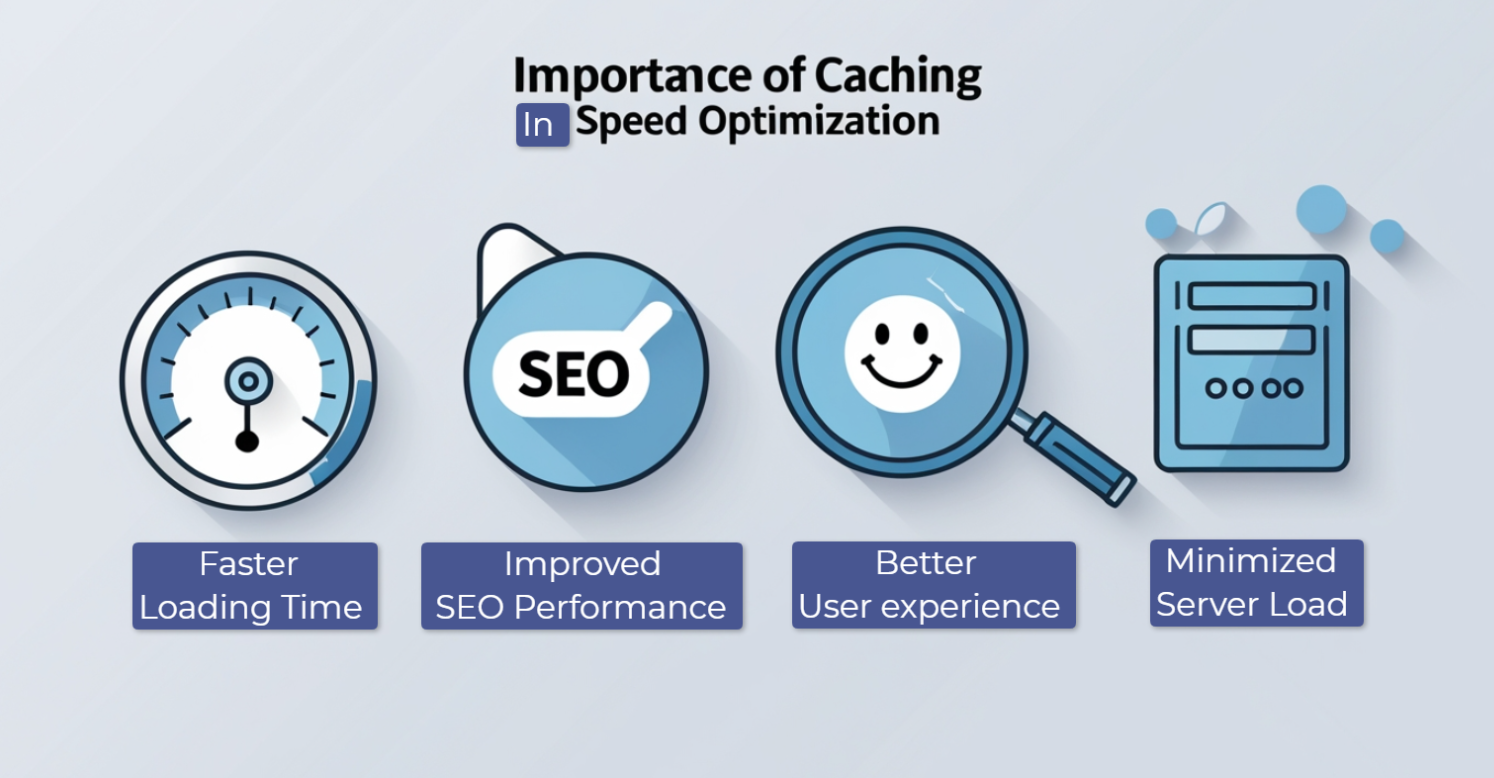
Faster Load Times for Users
As we mentioned before, caching boosts website loading speed by presenting a pre-saved version of a website. For instance, caching showcases static website elements like the logo, fonts, and CSS while a user is visiting the site. So, the site loads the files from the visitor's local storage rather than downloading them. This helps visitors get their desired content flawlessly.
Improved SEO Performance
Top search engines like Google give high rankings to speedy websites that load quickly. Google considers page speed to be an important core web vital metric and ranks a website according to that.
WordPress Caching plugins enhance the metrics related to core web vitals, including Largest Contentful Paint (LCP) and First Input Delay (FID). This brings you the opportunity to rank your website in the top search results.
Reduced Server Load
Your website server handles user requests and database queries, creating the webpage whenever someone accesses your site. Caching minimizes the burden of handling these requests by generating and presenting cached content.
A prime example is a high-traffic ecommerce shop that has enabled server-side caching. It can easily accommodate thousands of shoppers simultaneously without overloading the server. Ultimately, this reduces hosting expenses and significantly improves site speed.
Better User Experience
Everyone loves to visit, stay, and purchase products from a quick-loading website. Research indicates that people mostly leave a website if it takes more than three seconds to load.
However, an online store utilizing a caching mechanism can offer a smooth shopping experience. With every product loading instantly, it motivates customers to explore further and finalize their selection and purchase.
Implementing Caching: Best Practices
You must apply proper caching implementation to get the best speed optimization results. Improper caching can create errors in your webpage and present older content. So, consider the following best practices to maximize the benefits of caching:
Choose the Right Caching Strategy
Different websites have different objectives and purposes. Thus, they need different types of caching strategies for speed optimization. For example, Browser caching and CDN are enough if you are running a simple WordPress blog site.
On the other hand, an eCommerce site with dynamic product pages requires server-side and database caching. This is why you need to evaluate your website's architecture and traffic volume to implement a caching method.
Set Proper Cache Expiration Headers
Cache expiration specifies how many days cached content will exist before it is refreshed. You should always set an appropriate cache expiration duration. For example, the expiration time can be as long as a year for static resources such as images or style sheets.
However, the cache duration for frequently changing or dynamic content, like news articles, can be around one hour. With WordPress caching plugins, you can easily manage cache expiration dates.
Avoid Over-Caching
Caching is always beneficial for speed optimization on WordPress sites. However, excessive use of caching can create complications for your site. For instance, caching personalized elements such as user-specific dashboards can showcase erroneous data. You can avoid this issue by excluding dynamic or sensitive content from caching.
Monitor and Maintain Cache Performance
Your work has not been finished since caching was implemented on your site. You should regularly check your website on various devices, browsers, and network conditions. PageSpeed Insight can provide you with a clear picture of where to improve. You can configure your caching settings when a page isn't loading quickly and implement techniques like image compression for better output.
Moreover, you should routinely check the effectiveness of your cache based on live site performance. Tools like Google Analytics and GTmetrix can assist you in resolving any caching-related performance and page speed issues. Additionally, make it a practice to clear the cache regularly.
Best Caching Plugins for WordPress
You can automate the entire caching process using WordPress caching plugins on your site. These plugins can automatically store and serve cached versions of the web pages. You can handle the other aspects of your site while these plugins handle the speed optimization. Here are some of the best WordPress caching plugins available out there:
WP Super Cache
WP Super Cache is a popular choice for caching your WordPress site. It can quickly generate a static HTML version of your selected web pages.

As a result, your server won't process PHP scripts and will serve the cached version. So, the server gets a minimal load, making page delivery smoother.
Key Features:
-
Generates static HTML files for faster page loading
-
Supports multiple caching modes, including simple and advanced modes
-
Automatically clears cache files when content is updated
-
Integrates with Content Delivery Networks (CDNs) for improved performance
W3 Total Cache
W3 Total Cache is one of the most powerful WordPress caching plugins, effectively enhancing website speed. It swiftly caches pages, database queries, and other objects.
Additionally, it supports CDN integration, allowing you to optimize page loading times further. It's a suitable option for both beginners and advanced users.
Key Features:
-
Page, object, and database caching for better performance
-
Minifies HTML, CSS, and JavaScript files to reduce file size
-
Supports CDN integration to serve cached content from multiple locations
-
Improves server performance, reducing the risk of overload during high traffic
LiteSpeed Cache
LiteSpeed Cache is an efficient caching plugin tailored for sites hosted on LiteSpeed servers. It provides various optimization options.

You can implement caching, image enhancements, and minification of CSS and JS. So, it's a top choice if you want to implement speed optimization with minimal effort.
Key Features:
-
Server-level caching for faster performance.
-
Built-in image optimization with WebP support.
-
Minifies and combines CSS, JavaScript, and HTML files.
-
Includes a unique QUIC.cloud CDN integration.
Final Thoughts
To enhance spontaneous visitor engagement on your WordPress site, prioritizing caching is essential. This approach guarantees fast loading times with minimal server strain and instant page delivery.
We have clearly outlined various caching types, their benefits, and best practices. Additionally, we have compiled a list of top WordPress caching plugins for your convenience. Just install one of these plugins and adhere to the best practices to keep your site ranking high in search results.
- Improve website speed
- WordPress website security
- WordPress plugin installation
- Weekly vs monthly WordPress maintenance
- Best free WordPress 2FA Plugin
- WooCommerce Shipping strategy
- WordPress Maintenance
- WordPress Security
- WordPress SEO
- WordPress Admin Security Measures
- Optimize Images for Faster WordPress Load Times
- Best Loginizer Alternatives


