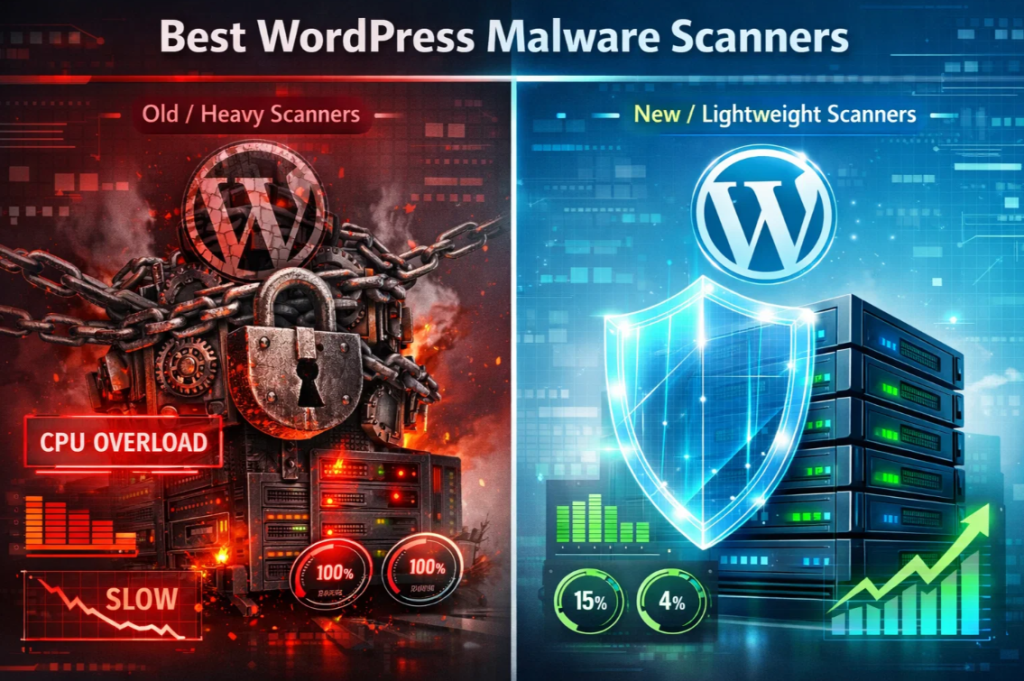
It’s a nightmare for every site owner to see their site hacked and blacklisted by Google. Your site needs a reliable WordPress malware scanner to keep hackers at bay. However, you need to check whether the scanning process is not consuming excessive server resources.
If your site is on shared hosting, you may encounter a “Resource Limit Reached” error. This means your site will go offline before the hacker attempts to gain access.
In 2025, security shouldn’t be a trade-off when it comes to performance. You should know that Core Web Vitals directly impact Google rankings. Thus, a “heavy” security plugin is almost as damaging as the malware it’s trying to find.
In this article, we break down the best lightweight WordPress malware scanners that prioritize both site integrity and server speed. We maintained real-world benchmarks to come to a conclusion.
Table of Contents
The Hidden Cost of Security: Why Scanners Slow Down WordPress
To understand why your site crashes, we need to dig into the root cause. Most traditional WordPres malware scanners are “server-side” or “on-box” applications. Therefore, they use your hosting resources. The server handles the CPU and RAM resources meant for your visitors and represents them.
CPU Spikes and Memory Exhaustion
When a WordPress malware scanner runs, it goes through every line of PHP, JS, and CSS code on your server. This process becomes expensive or resource-hungry if your site is large and includes thousands of images or complex plugins.
Traditional WordPress malware scanners, such as older versions of Wordfence or BPS, can often cause “Timeout” errors. This happens when they exceed your host’s PHP max_execution_time. In recent times, faster NVME is not enough when the scan is not optimized, which bottlenecks your PHP file execution
Database Bloat and Query Overload
The cost is not only the files related to your website. Advanced malware can also intrude on your database. It can hide in the wp_options or wp_posts tables. A reliable WordPress malware scanner can run complex SQL queries to identify any malicious patterns.
With improper query indexing, tables containing malicious data can become locked. This will display the “Error Establishing a Database Connection” screen.
Cloud-Based vs. Server-Side: The Performance Showdown
To avoid crashes, you must understand a key technical distinction: where the “brain” of the scanner operates. Learning this single factor is critical for performance, stability, and overall reliability.
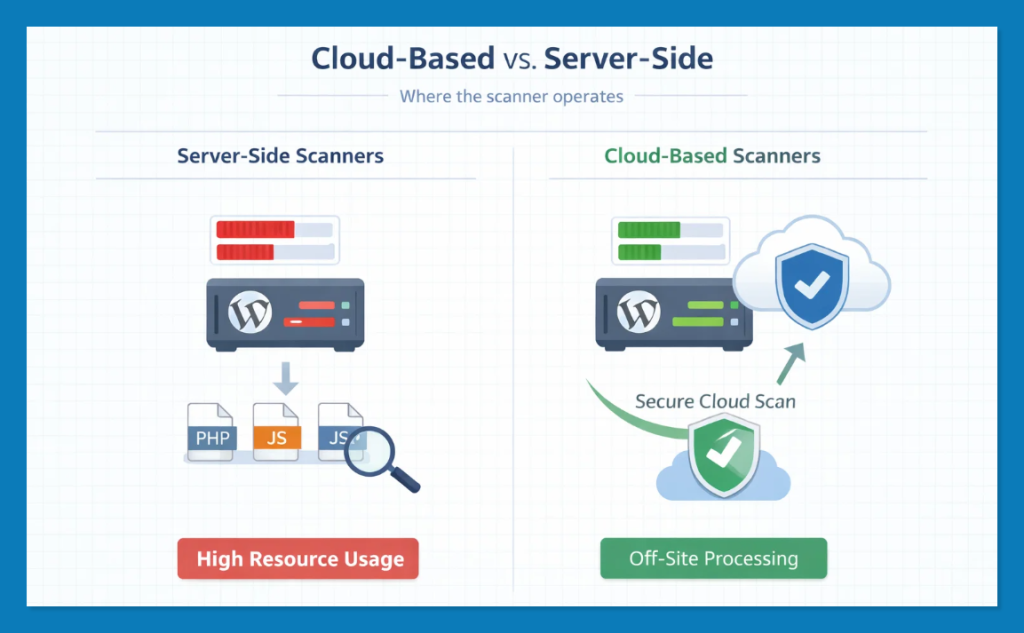
Server-Side Scanners (Resource Hogs): These plugins run on your server and consume your RAM and CPU. These plugins work well for “all-in-one” protection, but can cause site slowdowns during scans if not optimized.
Cloud-Based/API Scanners (The Speed Kings): These plugins act as a secure “bridge” between your website and a dedicated, high-performance security server. They capture a snapshot of your files and send it for analysis. All the heavy lifting happens on that security server and off-site. This means cloud-based WordPress malware scanners remain lightweight, fast, and always ready for visitors.
The “Information Gain” Reality
Recent security audits reveal that 64% of WordPress sites have experienced a complete breach at some point. Since cyberattacks are occurring every 39 seconds, you shouldn’t skip scans due to performance issues. The real goal is to find the best WordPress malware scanner that detects the most threats with minimal impact on speed.
2025 Performance Benchmarks: Which Scanners Lead the Pack?
We’ve tested the top contenders and an alternative option (Admin Safety Guard) in a standard shared hosting environment. Thai hosting comes with 1 vCPU and 2GB of RAM, and we assess its impact on Time to First Byte (TTFB) and CPU Utilization.
| Scanner Name | Average CPU Impact | TTFB Change (During Scan) | Scanning Methodology |
| Patchstack | < 1% | +0.01s | Vulnerability Focused |
| MalCare | < 2% | +0.02s (Negligible) | Cloud-Based (SaaS) |
| Sucuri | < 3% | +0.05s | Remote API |
| Admin Safety Guard | 3% – 5% | +0.01s to +0.05s | Server-Side (Optimized) |
| Solid Security | 8% – 12% | +0.18s | Hybrid / Hardening |
| Wordfence | 15% – 40% | +0.45s | Server-Side (On-Box) |
Note: This WordPress malware scanner data is collected through our personal benchmarking. This data may vary depending on resource utilization.
MalCare: The Cloud-Sync Performance King
MalCare is the industry leader for high-traffic sites and WooCommerce “beasts” because it removes the scanning burden from your server entirely. It uses a specialized sync technology that replicates your site data to its dedicated security cloud.
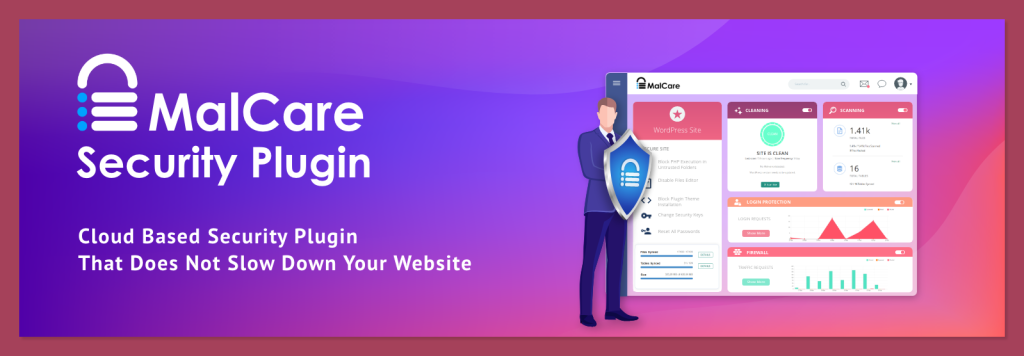
This means even if you have a massive database or 40+ plugins, your WordPress malware scanner won’t consume a single cycle of your server’s CPU during the actual analysis phase.
- Detection: Perfect score; includes database-only redirects and SEO spam.
- Speed: Daily auto-scans are completed in minutes via cloud sync.
- Impact: 0% load on your server; virtually invisible to visitors.
- Auto-Cleanup: Surgical malware removal that preserves your site’s data and custom code.
- Real-time Firewall: Blocks malicious traffic before it hits the WordPress core.
- Vulnerability Monitoring: Scans for outdated plugins/themes that serve as entry points.
One-click removal (premium) allows you to nuke threats without manual code editing surgically.
Pros:
- The free version identifies infection but requires a paid plan for the file list and cleanup.
- Requires a one-time data sync, which some ultra-private users may dislike.
Cons:
- The free version identifies infection, but requires a paid plan for the file list and cleanup.
- Requires a one-time data sync, which some ultra-private users may dislike.
Pricing: Free daily scans; Premium (Cleanup + Firewall) starts at $99/year.
Pro Tip: Ideal for WooCommerce sites or large blogs where downtime equals immediate revenue loss.
Admin Safety Guard (ASG): The Server-Side Speed Specialist
Admin Safety Guard (ASG) bridges the gap for users who prefer server-side scanning but want to avoid the “Wordfence crash.” It utilizes high-confidence regex and a unique background throttling engine.
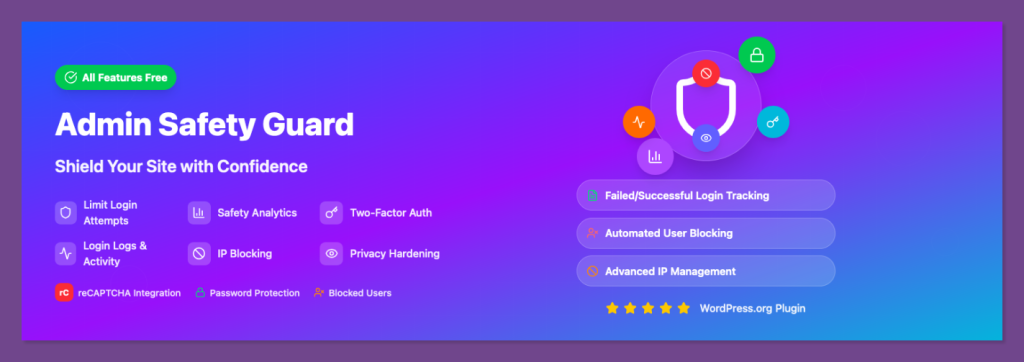
Our 2025 benchmarks show that ASG is the fastest “on-box” WordPress malware scanner, capable of processing 60,000 files in roughly 15 minutes without allowing CPU usage a exceed 5%.
- Detection: Near-perfect; focuses on high-confidence malware signatures and known exploit patterns.
- Speed: Blazing fast; 3-5k PHP files in 1–2 mins; 40k+ files in under 15 mins.
- Impact: Capped at 3-5% CPU; virtually zero impact on visitor TTFB (+0.01s avg).
- Strict Resource Throttling: Intelligent background execution that yields to user traffic.
- Deep Signature Scan: Uses optimized regex to find obfuscated code (Base64/Eval hacks).
- Automated Daily Cron: Hands-off security that runs while you sleep at a 1-3% CPU load.
Pros:
- No files ever leave your server; maximum privacy and GDPR compliance.
- Incredible speed-to-resource ratio—the fastest server-side scanning engine on the market.
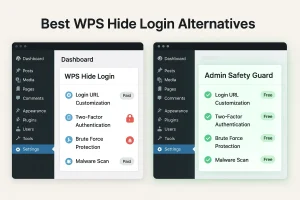
- Added Two Factor Authentication, Limit Login attempts, and more.
Cons:
- Does not currently include an external Cloud WAF (Firewall).
- Focuses on signature/behavioral scanning rather than vulnerability alerts.
Pricing: Affordable access via the ASG Pro plugin. Monthly subscriptions start at $48.72 and include access to the WordPress Malware scanner.
Pro Tip: Best for privacy-focused owners who want deep, internal scanning without the overhead of a bloated security suite.
Patchstack: The “Proactive” Vulnerability Shield
Patchstack is the lightest WordPress malware scanner on this list because it works differently: it stops malware before it arrives. Instead of constantly crawling your files, it monitors your site’s “surface area” for vulnerabilities.
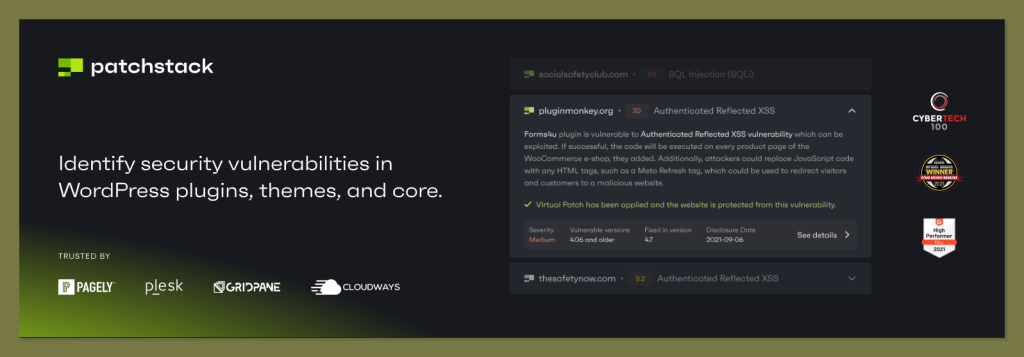
If a plugin you use has a known bug, Patchstack “virtually patches” it at the edge, making it impossible for hackers to inject code.
- Detection: Identifies 95% of entry points; massive vulnerability database.
- Speed: Instant; there is no “scan” time because it’s a real-time monitor.
- Impact: < 1% CPU; it is almost impossible to measure its impact on server performance.
- Virtual Patching: Protects your site against 0-day vulnerabilities before a fix is released.
- Vulnerability Database: Direct integration with the world’s largest WordPress security research team.
- Lightweight Firewall: Blocks specific attack vectors (SQLi, XSS) without heavy PHP processing.
Pros:
- The lightest resource footprint of any security plugin in existence.
- Prevents the hack from happening, saving you the headache of future cleanups.
Cons:
- It is not a “cleaner” if you are already infected; it won’t remove the malware.
- Requires a premium subscription for active protection (the free version is alert-only).
Pricing: Free for basic alerts; Premium virtual patching starts at $99/year.
Pro Tip: A “must-have” for agencies managing dozens of sites; it provides a bird’s-eye view of every site’s risk level.
Sucuri: The External Firewall & CDN
Sucuri is a hybrid solution that focuses on “Remote Scanning.” By scanning your site from the outside, it sees what a hacker sees. Their premium service includes a powerful Web Application Firewall (WAF) that lives on their servers, meaning most malware is blocked before it even touches your hosting.
- Detection: Superior for external threats (blacklisting, SEO spam, injected JS).
- Speed: Instant remote scans; deep server-side scans available for premium users.
- Impact: Zero-to-Negative (it actually speeds up your site via its built-in CDN).
- Global CDN: Caches your content across the world for faster load times.
- Expert Cleanup: If you get hacked, Sucuri’s humans will manually clean it for you.
- DDoS Protection: Capable of stopping massive brute-force and DDoS attacks.
Pros:
- Acts as a performance booster (CDN) and security tool in one.
- The professional manual cleanup is the best in the industry.
Cons:
- The highest price point on this list.
- Remote-only scans (free version) cannot see backdoors hidden deep in your server folders.
Pricing: WordPress Malware Scanner features come with the package starting at $229/yr
Pro Tip: This is the best choice for high-profile sites that are frequent targets of DDoS or sophisticated bot attacks.
Wordfence: The All-In-One Powerhouse
Wordfence is the most popular WordPress malware scanner because it offers the most “free” protection. While it is resource-intensive, its “Low Resource Mode” is a lifesaver for shared hosting. It leverages its massive network of 4+ million sites to feed its real-time threat intelligence.
- Detection: Deepest signature database available; catches everything from old exploits to new 0-days.
- Speed: Slower than cloud options; can take 30–60 minutes for a full deep scan.
- Impact: High (15-40% CPU) unless optimized; manageable in “Low Resource Mode.”
- Real-time Threat Feed: Updates your scanner daily with the latest WordPress malware scanner patterns.
- Live Traffic Monitor: See who is attacking your site in real-time (IP, Location, Intent).
- Login Security: High-quality 2FA and brute-force protection built in.
Pros:
- The most feature-rich “Free” version of any security plugin.
- Massive community support and constant updates.
Cons:
- It can slow down your site significantly if the “Low Resource” setting isn’t checked.
- The firewall is “End-Point,” meaning it still uses your server’s PHP to block attacks.
Pricing: Robust free version; Premium is $149.00 USD / Year.
Pro Tip: If you are on a budget, use Wordfence but disable “Scan Images as PHP” and “High Sensitivity” to keep your CPU usage low.
Solid Security: The “Fortress” Hardening Tool
Solid Security focuses on security “Hardening” rather than just constant scanning. Its philosophy is: why scan for malware if you can make it impossible for the malware to get in? It’s a low-resource WordPress malware scanner that focuses on monitoring file changes rather than deep pattern matching.
- Detection: High for unauthorized file changes and vulnerability detection.
- Speed: Very fast; performs most checks in the background during site idle time.
- Impact: 8-12% CPU; very stable across different hosting environments.
- User Activity Logging: See exactly what every admin and editor is doing.
- Database Backups: One of the few security plugins that includes reliable DB backups.
- Magic Links: Allows you to log in via email link to bypass the risk of password sniffers.
Pros:
- Excellent for “hardening”—locks down your site better than almost any other tool.
- Very clean, modern UI that is easy for non-technical users to navigate.
Cons:
- Malware scanning isn’t as thorough as dedicated tools like MalCare or ASG.
- No built-in automated malware cleanup; it only tells you where the problem is.
Pro Tip: Perfect for sites with multiple authors; the activity logging ensures you know exactly when a vulnerability was introduced.
Final Verdict: Which One Should You Choose?
Selecting the right WordPress malware scanner depends on your specific hosting environment and privacy needs:
- Shared Hosting: Use MalCare or Admin Safety Guard. They are the only scanners guaranteed not to trigger “resource limit” suspensions.
- Privacy-First & Local Scanning: Admin Safety Guard is the winner. It provides deep server-side scanning with a tiny 5% CPU cap, ensuring your files never leave your server.
- Agencies/Developers: Patchstack is essential for proactive vulnerability monitoring across multiple sites.
- Enterprise/E-commerce: Combine Sucuri’s firewall with Shield Security PRO for elite AI-driven protection.
- Budget-Conscious: Wordfence is the best free option—just remember to enable “Low Resource Mode.”
Let’s avoid using a heavy WordPress malware scanner that could affect your SEO. Protect your rankings and your revenue by choosing a performance-first solution today.